GO TO
Reputation
How it works
Sent at the right moment — shortly after the job is done, while the experience is fresh
Polite and persistent — text and email both send, with a couple of gentle reminders
Stops on its own — the moment a customer clicks through to leave a review, the reminders stop
The one connection it needs
Link your Google Business Profile so requests point customers at your review page.
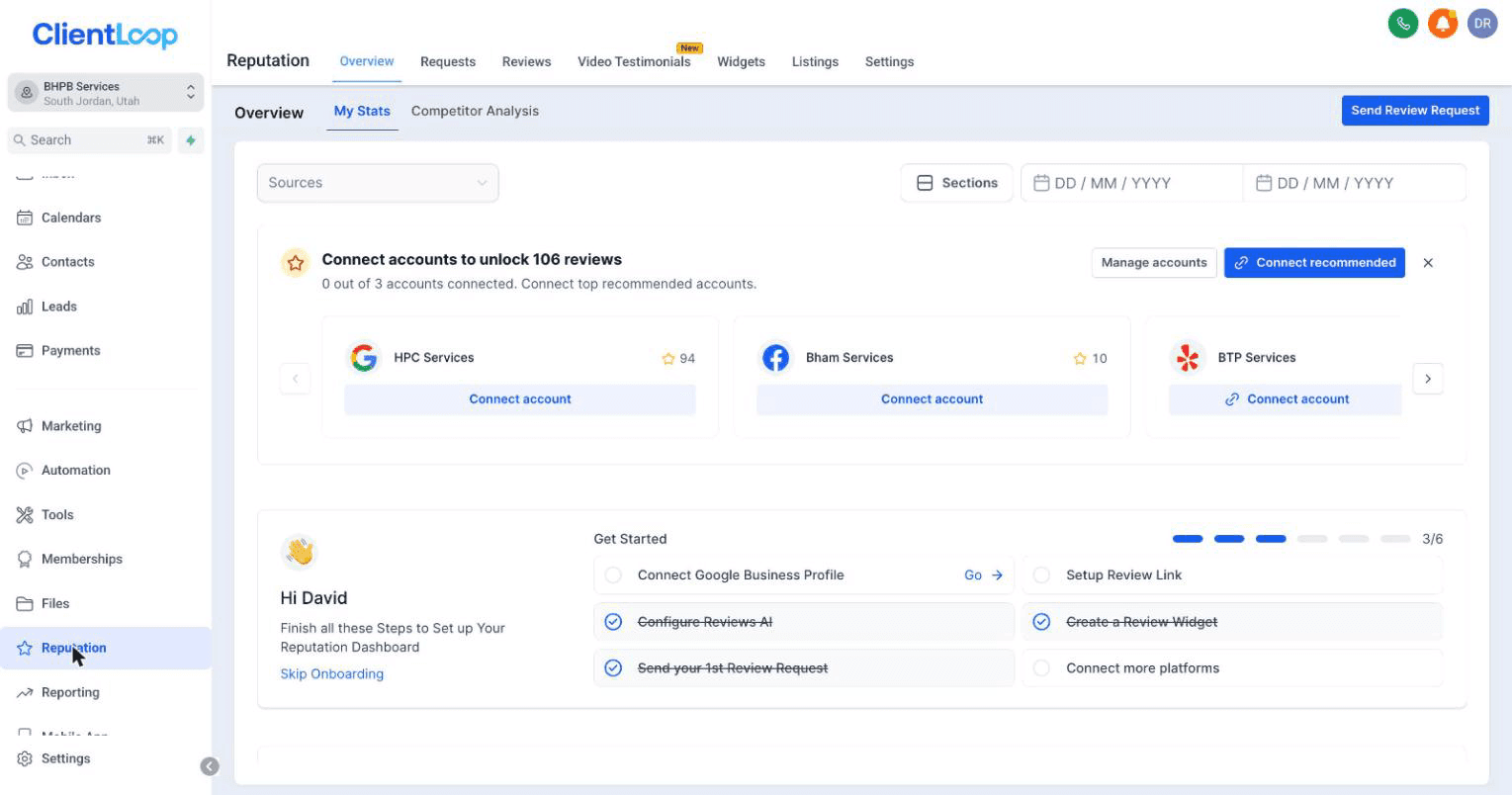
The Reputation checklist, with the Google connection at the top.
Then confirm your review link under Reputation → Settings → Review Link, and send yourself a test.
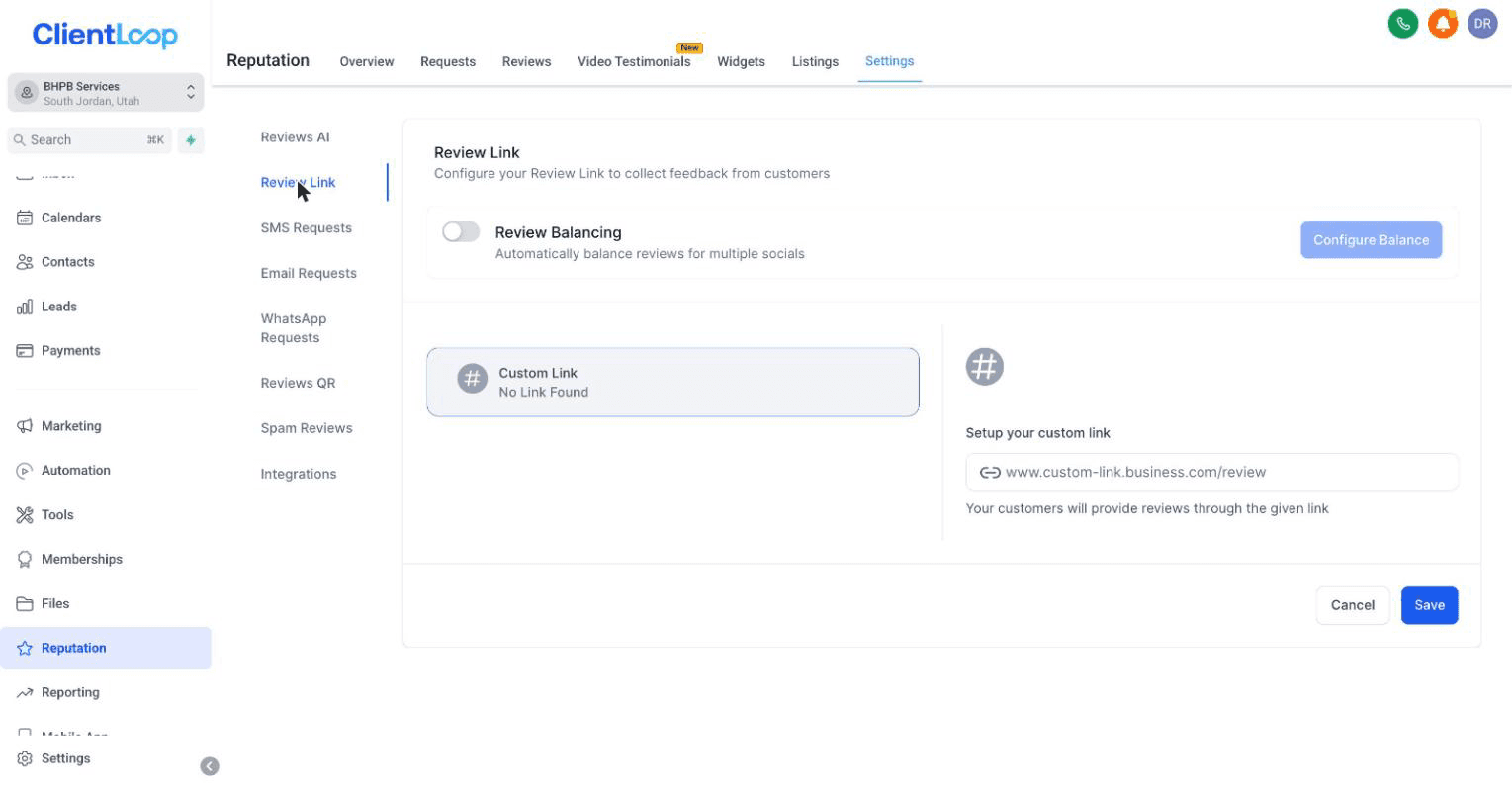
The review link that every request points at.
You’ll know it worked when
your test request arrives and the link opens your own Google review box.
FAIR AND WITHIN THE RULES
Every customer gets the same request — reviews are never filtered or gated. If something wasn’t right, the thank-you message already invites them to reply so you can make it right before they post.
Why this matters more than it looks
Reviews compound. They win you the next lead, and a stronger review base widens what you can offer customers — Flex Pay financing becomes available once your business has built up enough reviews. Of everything you can switch on, this is the highest-leverage.
What financing looks like at checkout: Getting paid →
Common questions
What if I get a bad review?
The thank-you message that goes out before the request invites an unhappy customer to reply to you directly first. When one does land, respond publicly and briefly — a calm reply reads better to the next customer than no reply.
Can I choose who gets asked?
Every completed job triggers a request. Gating requests to only happy customers is against Google’s rules and puts your listing at risk.