GO TO
Calendars → Calendar settings
What you start with
Your account ships with a consultation calendar — the “talk to us” booking — plus a ready-built calendar for each common service in your industry. These are templates. They are yours to shape.
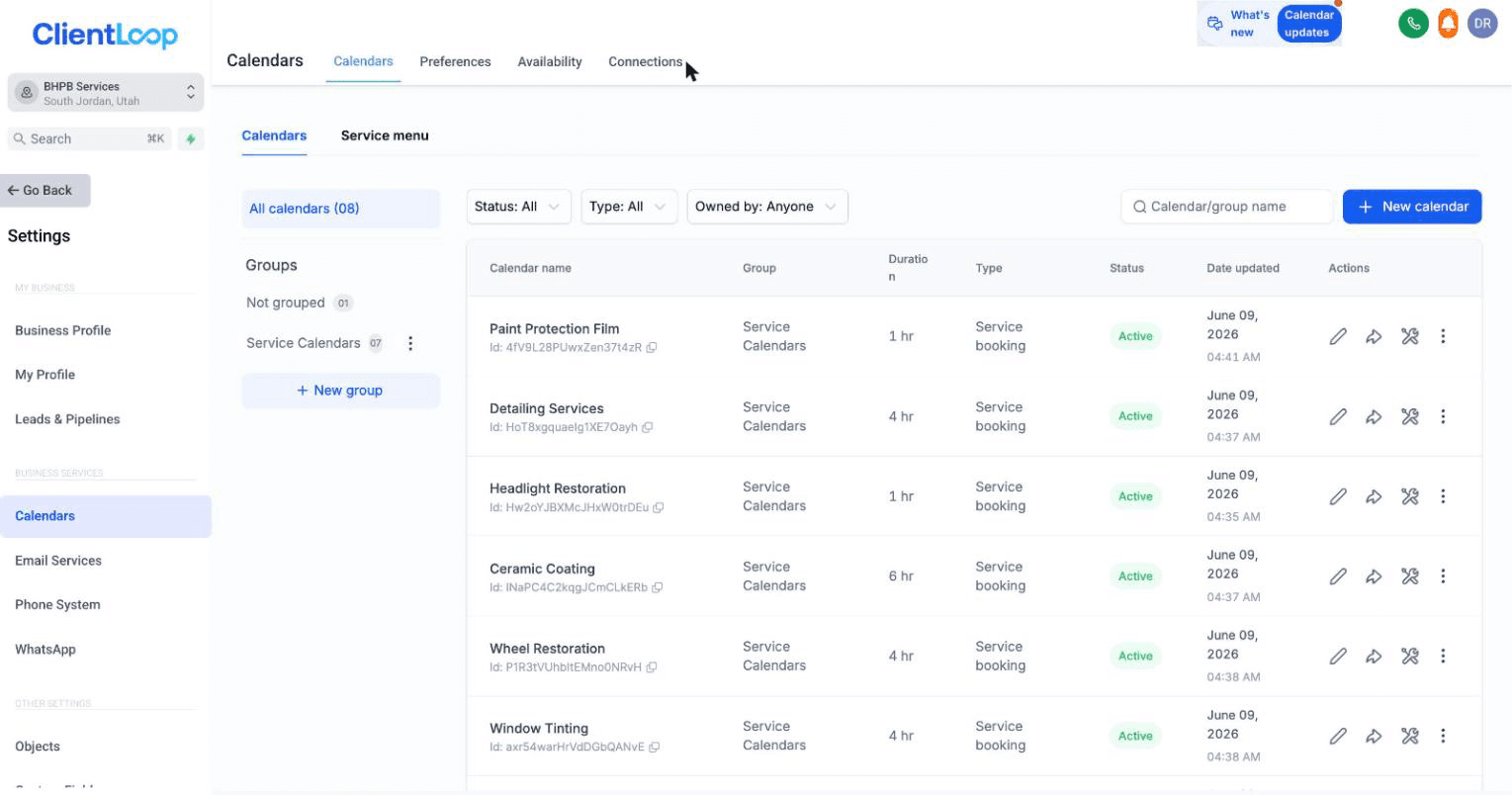
Consultation plus one calendar per service.
EXAMPLE — A MOBILE DETAILER
Calendars for a consultation plus each service: detail packages, ceramic coating, paint protection film, window tinting, headlight restoration, wheel restoration, dent removal. Keep what you offer, delete what you don’t, add anything missing.
Setting them up
Make the list yours — keep the calendars that match what you do, delete the ones you don’t offer, and add your own for anything missing
Set who covers each service — each calendar has its own team members, so the right person gets the booking
Set the hours and the length — a consultation might be 15 minutes, a full detail four hours
Add buffer time if you travel — for on-site work, buffers between appointments stop the day collapsing
Connect your own calendar
In the Connections tab, link your Google or Outlook calendar. Your personal events then block booking slots automatically, so nothing double-books you.

The Connections tab, where your own calendar links in.
Do this one. It is the difference between a booking system you trust and one you check manually.
What happens when someone books
The card advances to Scheduled on your pipeline, a “prepare for appointment” task is created, and the CRM sends the customer their confirmation and reminders. Reschedules and cancellations are handled by the calendar too — you don’t chase any of it.
You’ll know it worked when
the calendar list matches your service menu, and a test booking lands on the right person’s calendar with a confirmation in your inbox.
Recurring and repeat bookings
A repeating booking — a monthly package, a quarterly service — is a calendar setting rather than a separate product. Ask your onboarding contact to switch it on for the calendars that need it.
Common questions
Can customers book outside my hours?
No. Availability comes from the calendar’s hours and from your connected personal calendar.
What if two services need different people?
That’s exactly what per-calendar team assignment is for. Set each one separately.
Where does my booking link live?
It flows into every message that invites a customer to book, so you rarely paste it manually.