GO TO
Automation → Workflows
You don’t need to create any of these. They are built and switched on before you sign in. This guide is so you know what is running, and when.

One ready-made automation per moment that matters.
New lead follow-up — the instant reply
Runs when a lead comes in from your website or a Facebook form.
A card is created at New Lead — a “call and qualify” task is raised and your team is notified
The customer gets an instant email and text — within seconds, in your words
When they reply, the card advances to Contacted — and if a lead sits untouched for 24 hours it’s flagged so nothing goes cold
Hi {First name}, thanks for reaching out to {Your business}! Someone will be in touch shortly to help you {get started}. Reply here anytime or call {Your number}.
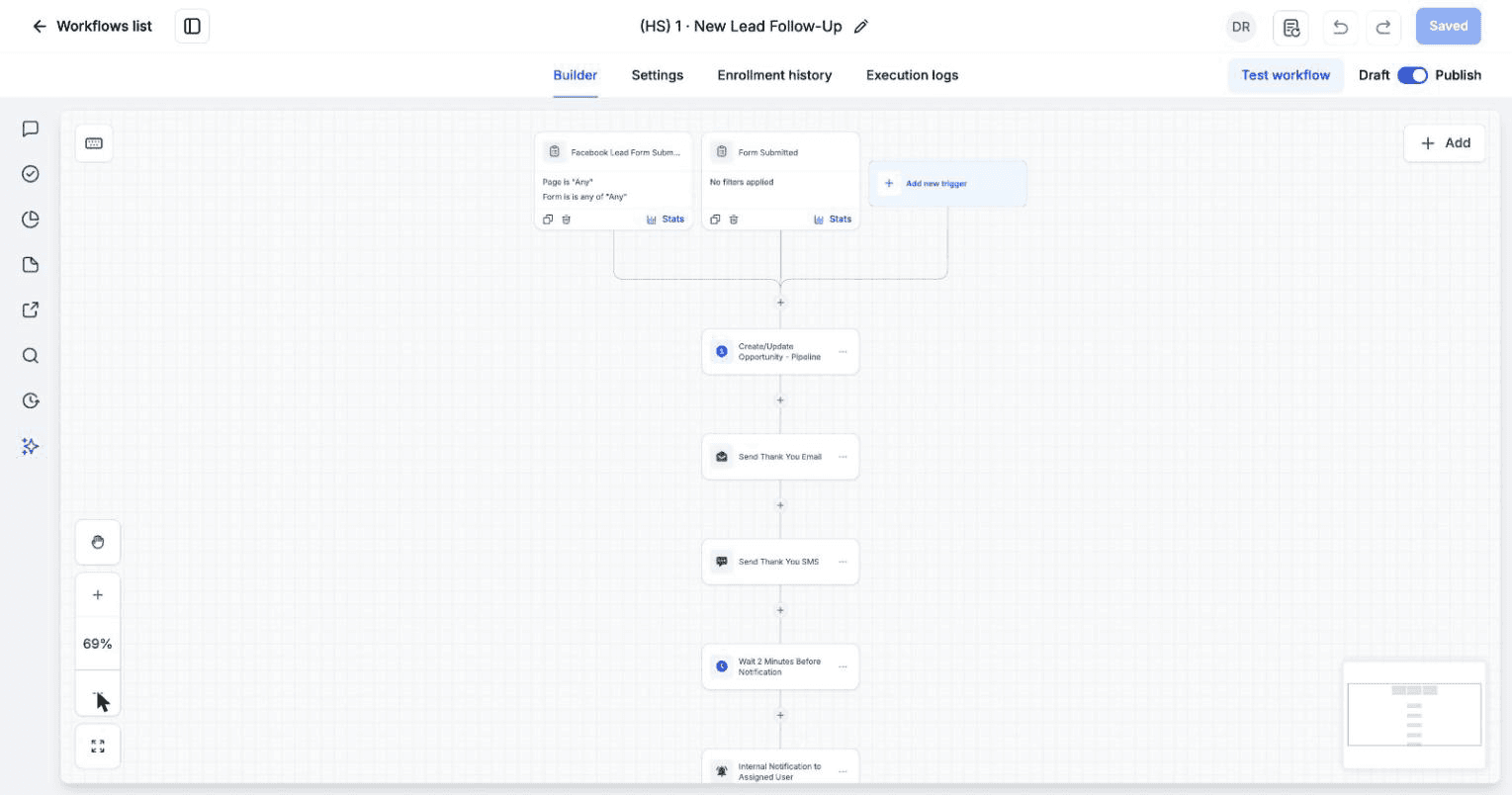
Inside the new-lead reply, step by step.
Estimate follow-up — win more work
Runs when you move a card to Estimate Sent. Two days later a friendly follow-up goes out if the estimate is still open. A final nudge follows a few days after, then a “call about pending estimate” task on day seven. Still unanswered and the card moves to Follow-Up for a longer nurture.
Booked and scheduled
Runs when a customer books. The card advances to Scheduled, a “prepare for appointment” task is created, and the CRM sends the confirmation and reminders itself.
Post-job thank-you — earns the review
Runs when you mark a job Completed. A day later a warm thank-you goes out, and the customer is enrolled into the automatic review request.
Win-back — never lose a lead
Runs when a lead goes quiet, or when you enroll one manually. Three gentle touches over about a month. Any reply stops the sequence and brings them back to your active board.
THE SPLIT THAT KEEPS IT CLEAN
Your CRM sends confirmations, reminders, receipts and review requests. The automations do the rest — moving cards, the instant lead reply, and the follow-up sequences. A customer never gets the same message twice.
You’ll know it worked when
you submit a test lead and get the instant reply as the customer, and the new-lead task as the owner.
Common questions
Do they send on their own, or do I approve each one?
They run automatically based on what’s happening. You’re always notified and can step in at any point.
Will customers know the messages are automated?
No. Every message comes from your business, with your name, your number and your wording.
Can I change the wording?
The wording comes from your business language settings, so changing it once changes it everywhere. Tell your onboarding contact.