GO TO
Leads
Every lead and job is a card. You move a card forward as the work progresses, and the automations react to each move.
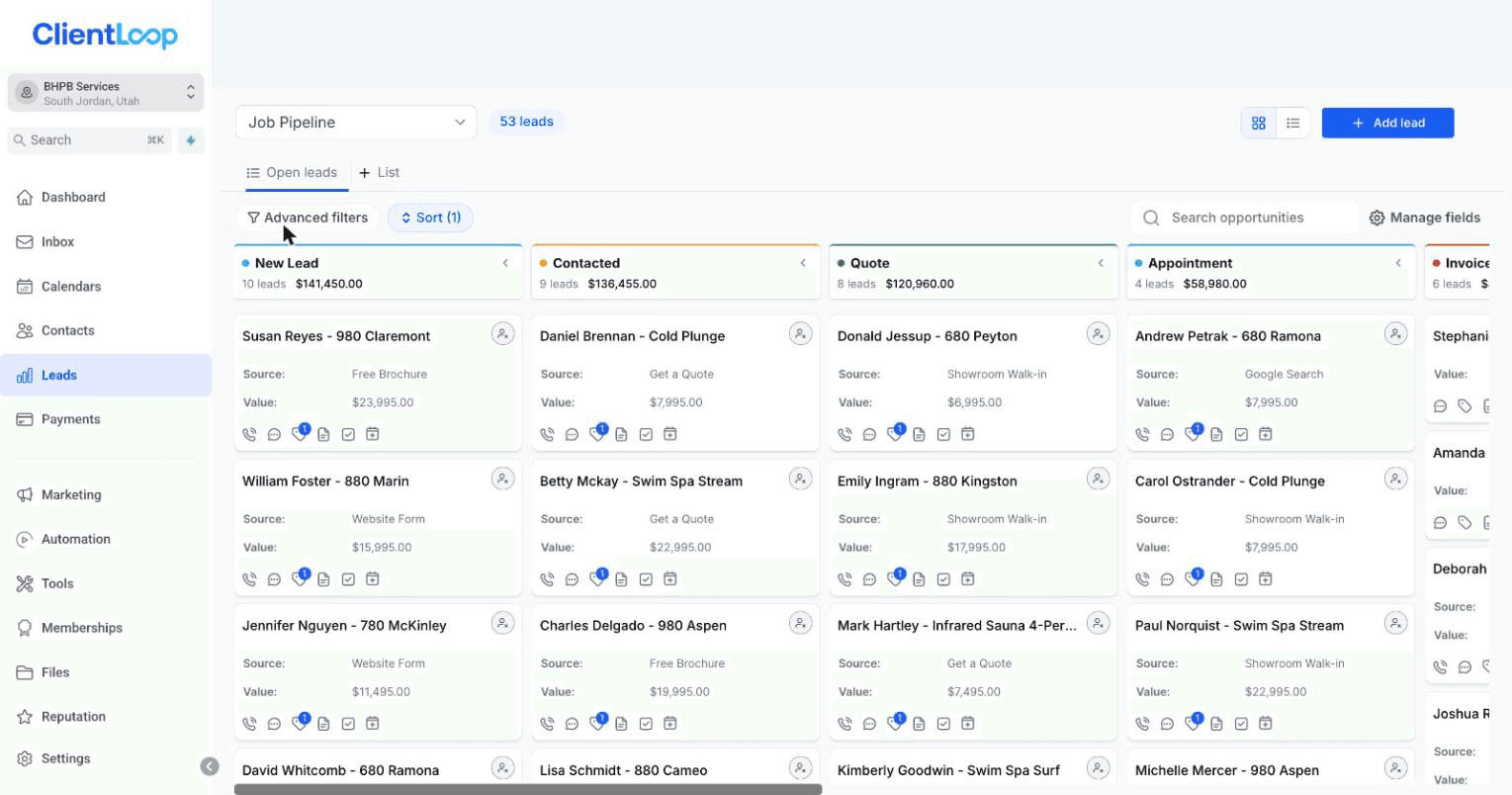
Lead and job cards across the stages.
Built for how you work
There are three board shapes. Your account uses the one that matches your business, and the stage names read naturally for your trade.
If you… | Your board | The flow |
|---|---|---|
Go on-site — HVAC, plumbing, electrical, roofing, detailing | Jobs | Lead → estimate → schedule → perform → bill → collect → follow-up |
See clients by appointment — salons, spas, studios, wellness | Appointments | Lead → book → visit → rebook |
Take on clients — accounting, legal, agencies, consulting | Clients | Lead → consult → propose → sign → onboard → ongoing |
Example — the Jobs board
New Lead → Contacted → Estimate Sent → Scheduled → In Progress → Completed → Invoice Sent → Paid → Follow-Up
Some stages move themselves, some are yours. In Progress and Completed are moved by you, because only your team knows when on-site work actually starts and finishes. The rest advance on their own as estimates go out, customers book, and payments land.
How to move a card
Drag it from one stage to the next. That drag is what fires the matching message — so moving cards honestly is what keeps the automations useful.
You’ll know it worked when
you drag a card one stage forward and the matching message goes out.
Two boards, not one
The pipeline tracks the work. A separate billing board tracks the money — sent, viewed, overdue, paid. The same customer can sit on both at once.
The billing side is covered in Getting paid →
Common questions
What if a job doesn’t fit the stages?
Move it to the closest stage and add a note. The stages are a map, not a cage.
Can I have more than one pipeline?
Yes. Most businesses run one, but a second board for a different line of work is a settings change — ask your onboarding contact.
What happens to a card that goes quiet?
It gets flagged, and after a while the win-back sequence picks it up.